






















Free beta · macOS 15 or later

Drop a video.
Watch it on your TV.

Movies, series, and photos from your Mac play on the TV over your home network. No server to set up, nothing to convert, nothing uploaded.

Free while in beta. Each beta build works for 90 days and updates itself. Kinomist 1.0 will be a paid app.

Drop and play

A file in, a movie on.

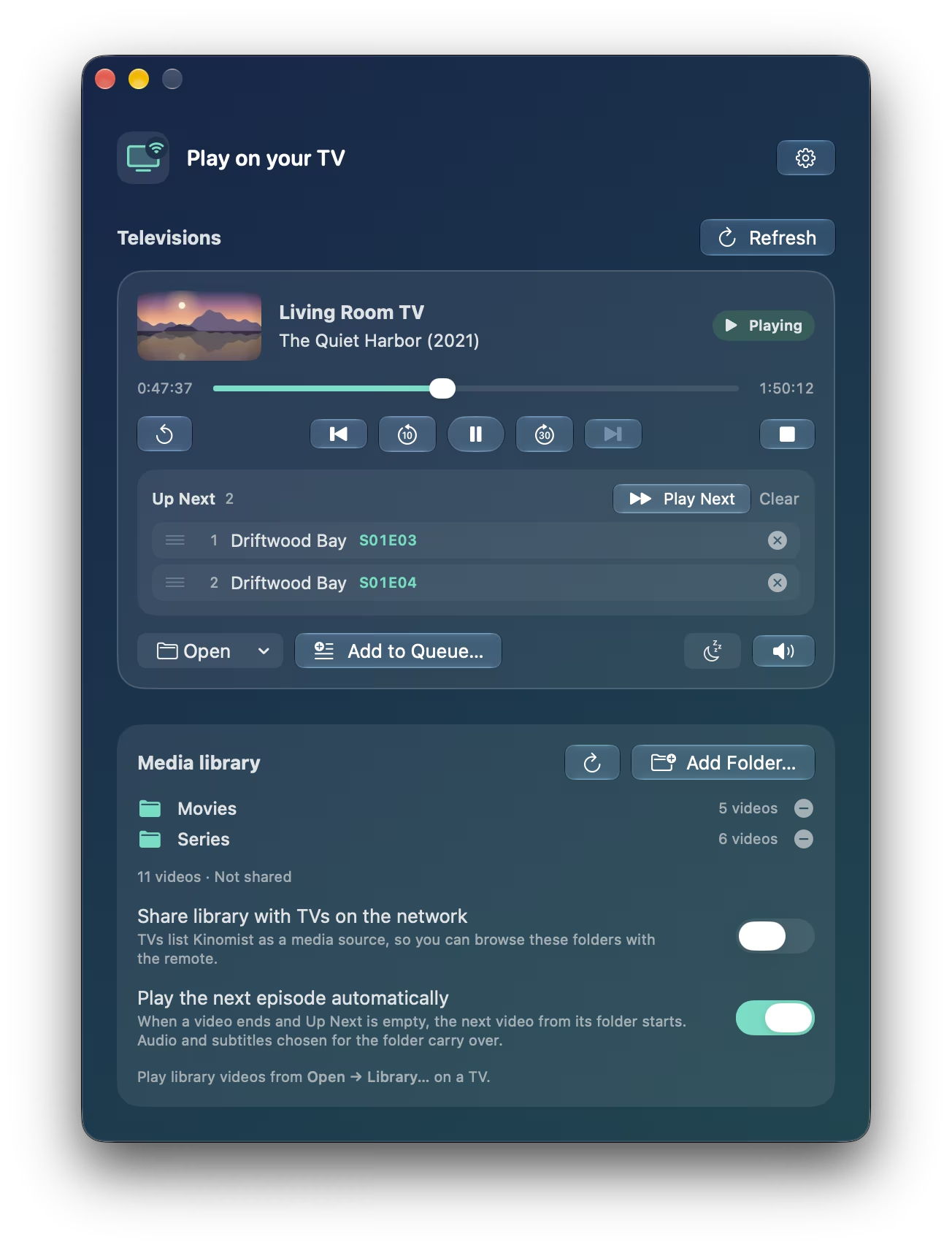
Drag an MKV, MP4, or AVI onto a TV, or onto Kinomist in the Dock. Drop a few at once and the rest wait in Up Next. Every video picks up where you left off, and the next episode of a series starts on its own.

The Kinomist window: the Living Room TV playing The Quiet Harbor at 47 minutes, with two episodes of Driftwood Bay in Up Next.

Your library

Continue watching, from the sofa or the Mac.

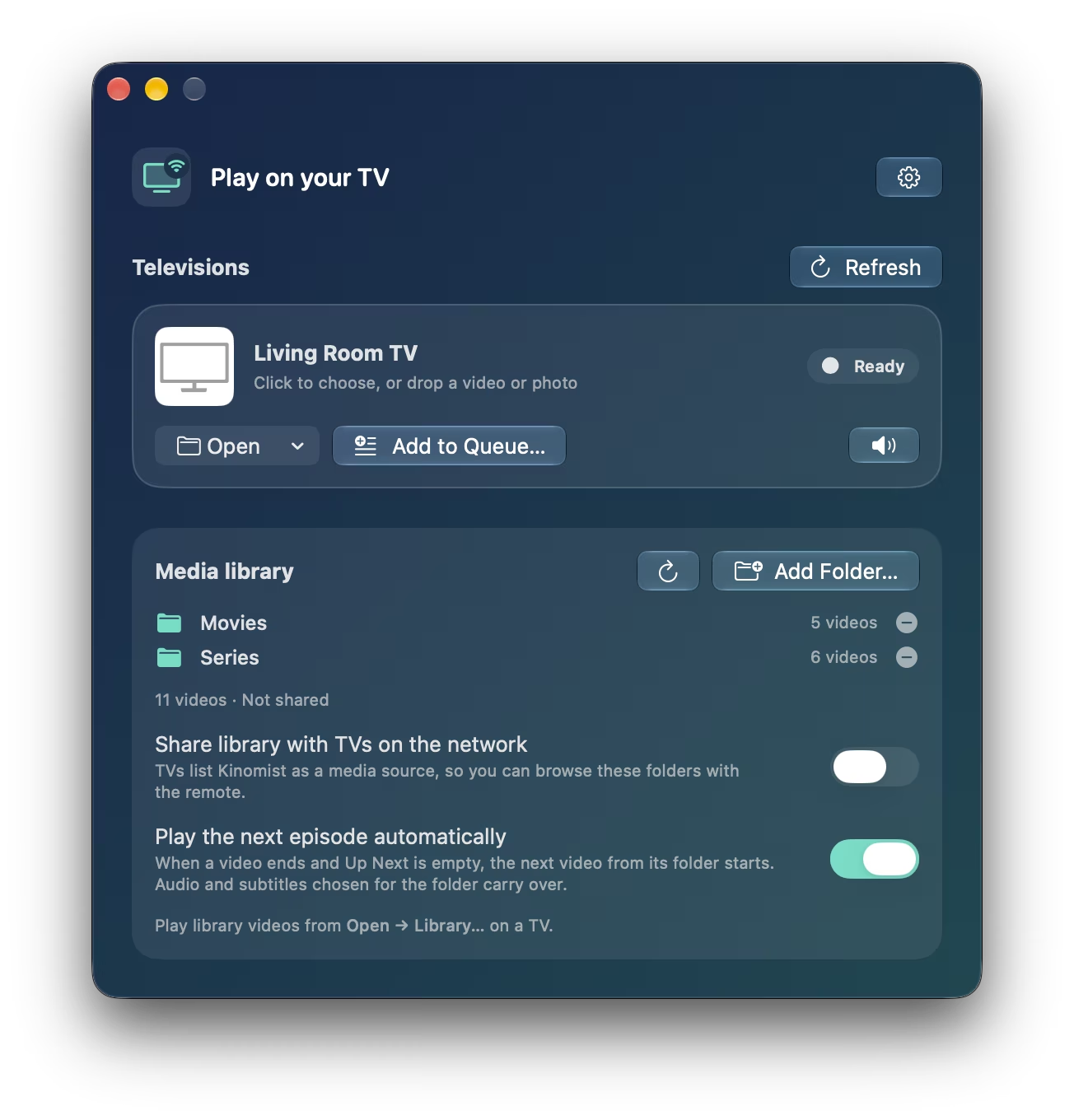
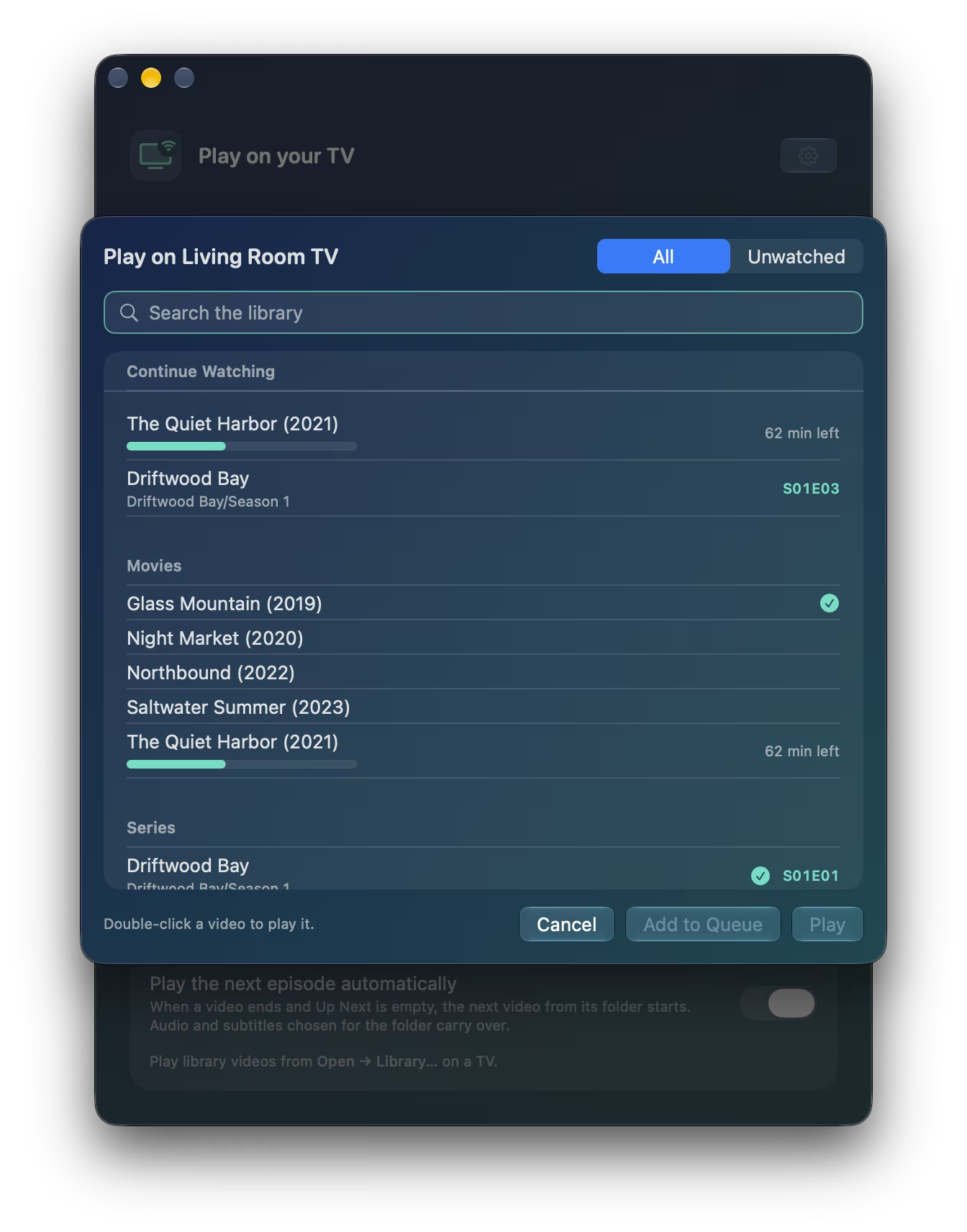
Add your movie and series folders once. Kinomist shows what you were in the middle of, the episode that comes next, and what you've already watched. Search finds a title or an episode code in a keystroke, and your TV's remote can browse the same folders.

The library sheet with Continue Watching, watched marks, and a series grouped by season.

Audio and subtitles

The soundtrack and subtitles you want.

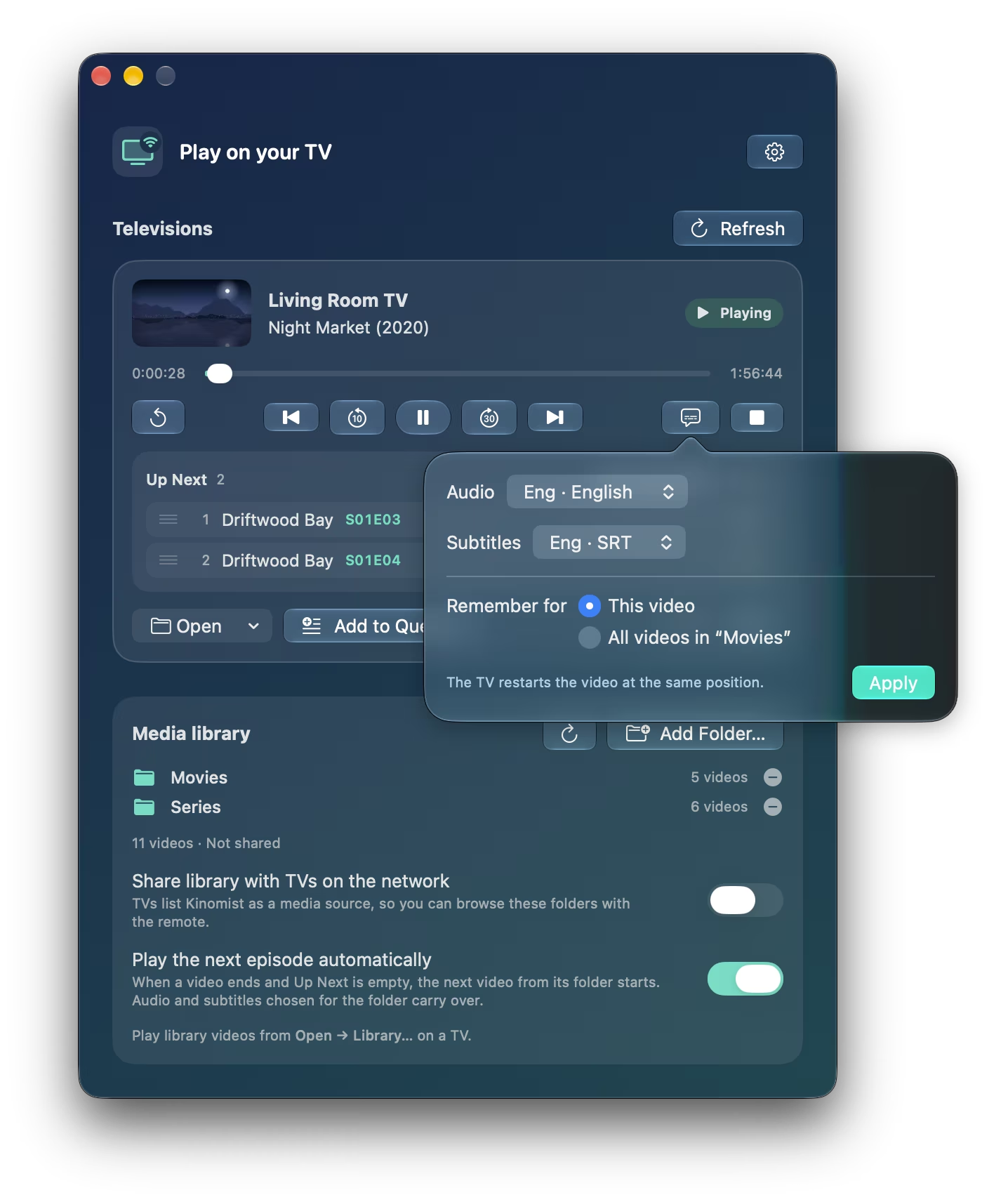
Pick the audio track and subtitles for one video or a whole season, including subtitle files next to the video in any encoding. TrueHD and DTS soundtracks that many TVs can't play are converted while you watch, with seeking intact.

The track picker over a playing movie, with English audio and English subtitles chosen.

Ask your AI assistant

“Play Driftwood Bay on the living room TV.”

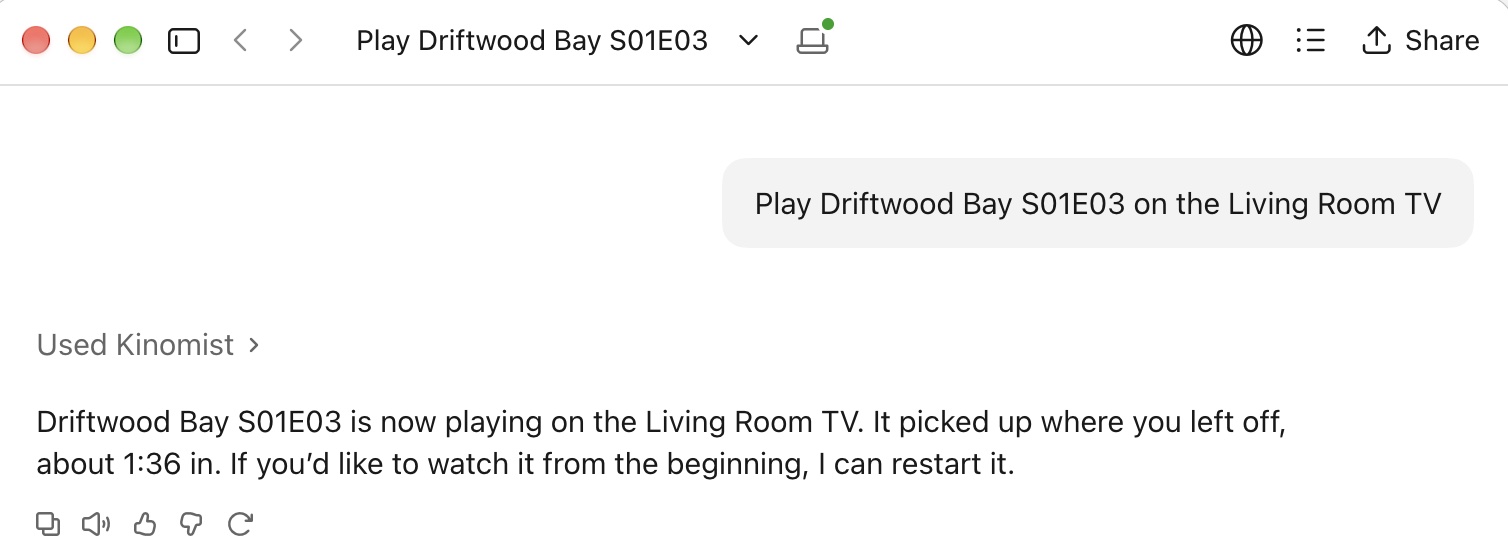
Kinomist works with Claude and ChatGPT on your Mac. Ask for a movie or an episode, and the assistant finds it in your library and plays it, picking up where you stopped. Kinomist asks you first before an assistant plays anything outside your library.

A Claude conversation: asked to play Driftwood Bay S01E03 on the Living Room TV, Claude used Kinomist and the episode is now playing.

Always at hand

Control it from anywhere on your Mac.

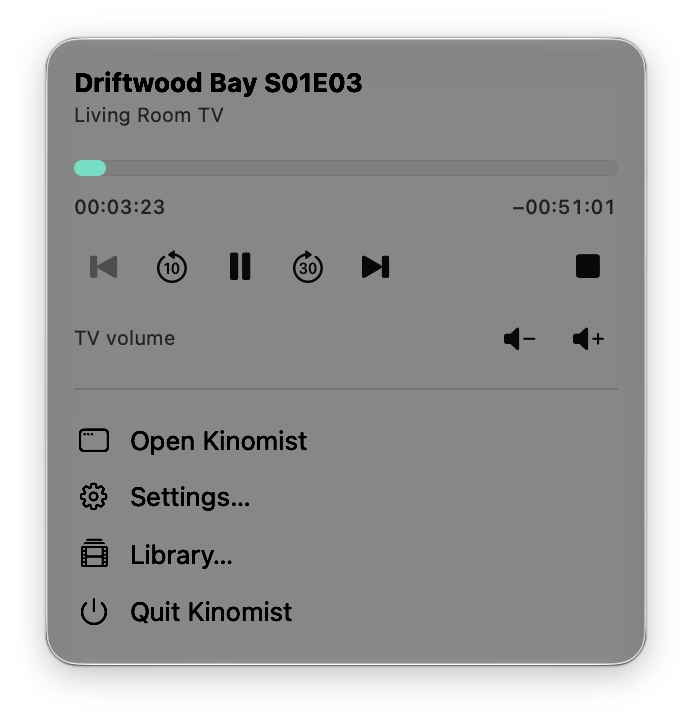
Pause, skip, and change the TV's volume from the menu bar, the keyboard's media keys, or Control Center. Set a sleep timer for the end of the episode, or ask Siri and Shortcuts to pause the TV.

The menu bar panel with the playing movie, its progress, playback buttons, and TV volume.

And a few more things

Photos and slideshows

Show photos from Photos or a folder, in slideshows that don't flash the TV's loader between pictures.

Works with older TVs

Most Samsung, LG, Sony, Philips, and Panasonic sets play over DLNA, including ones ten years old. Google Cast is in preview.

Nothing leaves your home

The TV reads videos straight from your Mac over your network. No account, no ads, and no uploads.

Try it on your TV tonight.

If something doesn't play on your TV, choose Help ▸ Send Feedback… in Kinomist; it includes your TV's model, which helps most.

Download the free beta

Free while in beta. Each beta build works for 90 days and updates itself. Kinomist 1.0 will be a paid app.